
Advanced Computer Skills
In the advanced level you can learn coding, create websites, and build databases.
Web Development has two parts:
Front-End Development: What the user sees. User Interface (UI) or how the user interacts with your product or User Experience (UX).
Back-End Development: What the user does not see (the server and database).
Once you can handle both the back-end and the front-end development, you can practice Full-Stack Development.
To become a web developer, you need to learn coding languages. However, it's helpful to break them into two main groups: essential and bonus languages. This way, you can start with essential languages first and bonus languages later.
Additionally, you need to make decisions:
1. Do I want to learn front-end or back-end web development?
2. What are the main languages I need to learn based on my selection of front-end or back-end development choice? See below.
3. Once you master the core languages, you can work on bonus languages. The bonus languages help you become a better developer with fine-tuning tools.
4. The good news about so many languages is that once you know front-end or back-end languages, you can specialize in one or two languages and be really good at it. This is the secret of becoming a good programmer: specialization, not generalization.
Here is the breakdown!

Web Development Overview
Web Development
Back-End Development: Data Processing, Storage, Logic, Security
Full-Stack Development
Front-End DevelopmentWhat the users see & interact with
API*
*API: Application Program Interface
Front-End Development
Program languages to learn for Front-end web development, in this order.
1. HTML, CSS, & JavaScript (Must start with these languages first).
2. Git/GitHub (Not a language but Version Control System needed in Programming)
3. TypeScript & React (Front-end framework language tools to be effective with the web development)
4. Pro Tip: Stick to one language at a time. Once you learn one language well, others get easier. Avoid jumping around languages.
Front-End Programming Languages
Used for Structuring Web Pages
Used for styling web pages
Make web pages interactive and connect to the back-end
Version Control System, not a program language
Building user interface with reusable building blocks
Language built on top of JavaScript to add additional features
Front-End Development Essential Languages
CSS Preprocessors
Write CSS in a more efficient syntax & compile it down to plain CSS - SASS is the most popular language.
Provides pre-written CSS for your applications - Tailwind is used used by many companies.
Write code to test your code, minimize bugs, enhances quality of applications. Learn Vitest.
Higher-level framework. Sits on top of a core UI Library or framework and enhances its capabilities. Next.js is recommended
Here are additional program languages that helps to be efficient in front-end development. They are not necessary but nice to have if you have covered all the main 5 Front-End languages first.
Bonus Languages for the Front-end Development
CSS Framework
Automated Testing
Meta-Frameworks
Back-End Development
Back-End Programming Languages
Back-EndProgram languages features:
1. Python - the easiest to language to learn. It has a simple, readable syntax, great for beginners.
2. Java, a solid language. This language is taught to Computer Science and software engineering students in universities.
3. JavaScript - wasn't originally built for building back-end. It has a ton of weird parts and baggage but great to learn for both the front & back-end web development.
Used for rapid prototyping & for fast development cycles
Used in large-scale enterprise applications, including govt
Can be used for both the front-end & back-end
Version Control System, not a program language
For large-scale enterprise applications
For rapid prototyping & for fast development cycles
Used for performance for critical & concurrent applications
Back-End Development Essential Languages
Data Structures & Algorithm
Critical subjects taught to CS students - needed for back-end development, often covered in tech interviews. Study this and don't skip this part
Proven solutions to common design problems. There are 23 design patterns which helps to understand object-oriented design principles & web frameworks
Relational data is stored in tables with rows & columns commonly used by banking systems and ecommerce apps. MySQL, PostgreSQL SQL Server Oracle (MySQL - post popular). Non Relational Data is stored without a predefined table structure - Most popular app that require flexible data models & real-time analytics is MongoDB.
Depends on your programming language: For Python - Django for Java - Spring Boot for JavaScript - Node.js/Express.js, C#- ASP.NET Core, Ruby-Ruby on Rails, Go-Gin
These are additional areas to cover for full understanding of the back-end development or for specialitization
Bonus Languages for the Back-end Web Development
Design Patterns
Web Framework
Data Bases: Relational & Non Relational
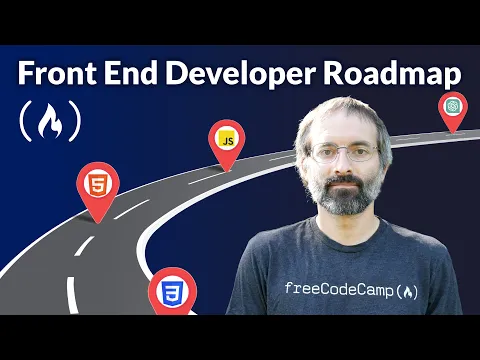
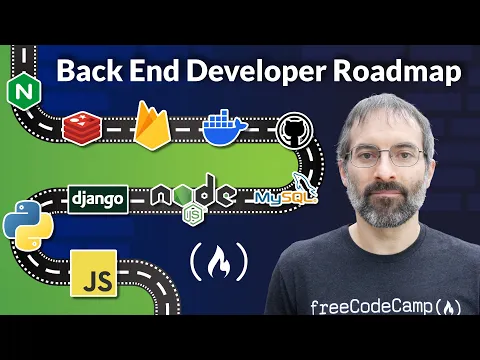
Great YouTube Tutorials to check out!

6 key tools to be on your way to learn web development! These resources are highly recommended by many self-taught programmers.
1. freecodecamp.org (All levels)100% free courses, open-source, non-profit organization with great community of coders. Great for beginner coders.
2.The Odin Project (Intermediate) Great for Intermediate coders who are learning via projects.
3. exercism.org (All levels) Highly beneficial for new coders because it's free, open-source coding practice platform that combines hands-on exercises with human mentorship and community learning.
4. coddy.tech (All levels) This platform teaches coding focusing on guided, gamified courses and Ai-Powered help, and zero set up.
5. YouTube Tutorials (All levels)
6. Community of coders for feedback, shared experiences, & support. (All levels)
Contact
info@dumatree.com
© 2025. All rights reserved.